
Control your account security, notification preferences, and official Continuing Medical Education (CME) verification data through the settings dashboard.
Accessing Account Settings
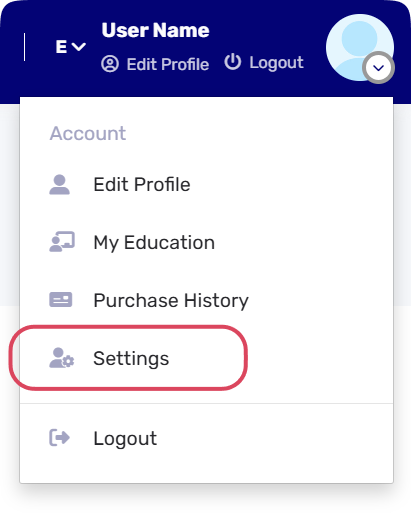
1- Click your profile avatar in the top navigation bar.
2- Select Settings from the dropdown menu.
Managing General Settings
Navigate the top menu to adjust the following:
-
Account: Update your Email, Mobile, password, language preference, and other data.
-
Email Preferences: Subscribe or unsubscribe from updates and newsletters.
-
Privacy & Notifications: Control profile visibility in search and toggle system alerts.
-
Appearance: Adjust the interface font size to small, medium, or large.
-
Bank Settings: Add your IBAN and account details for secure transactions.
Submitting Change Requests
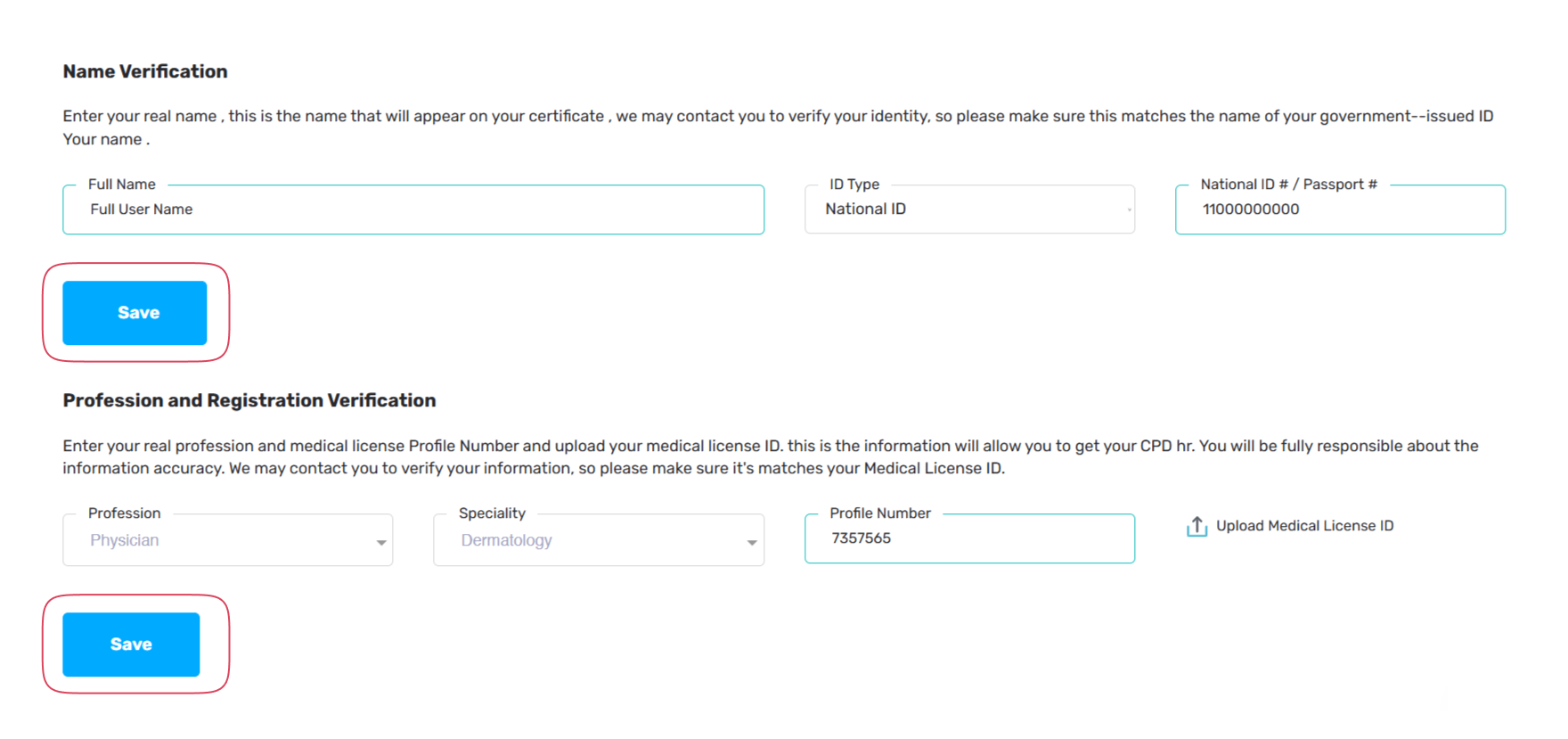
Official certificates require verified data matching your government ID and medical license.
1- Navigate to the Account tab within settings.
2- Scroll to the Name Verification section to request an official name update.
3- Scroll to the Profession and Registration Verification section to update your clinical specialty.
4- Upload the required documentation and click Save to submit your request for administrative review.