

If you have lost access to your account, you can quickly reset your credentials to get back to your professional development.
Steps to Reset Your Password:
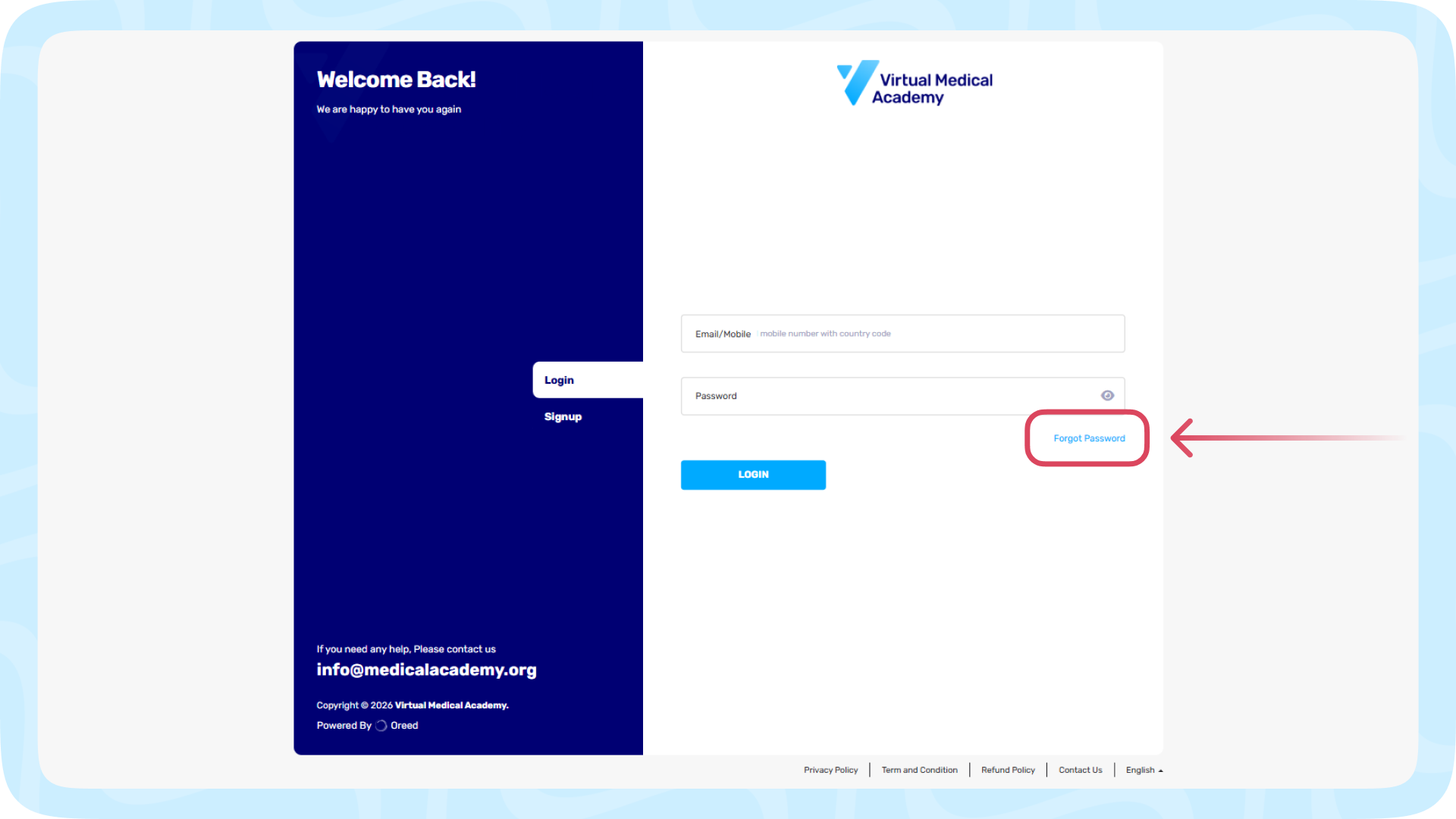
1- Go to the VMA LOG IN page.
2- Click on the "Forgot Password" link located below the login fields.
3- Enter the email address or mobile number associated with your VMA account.
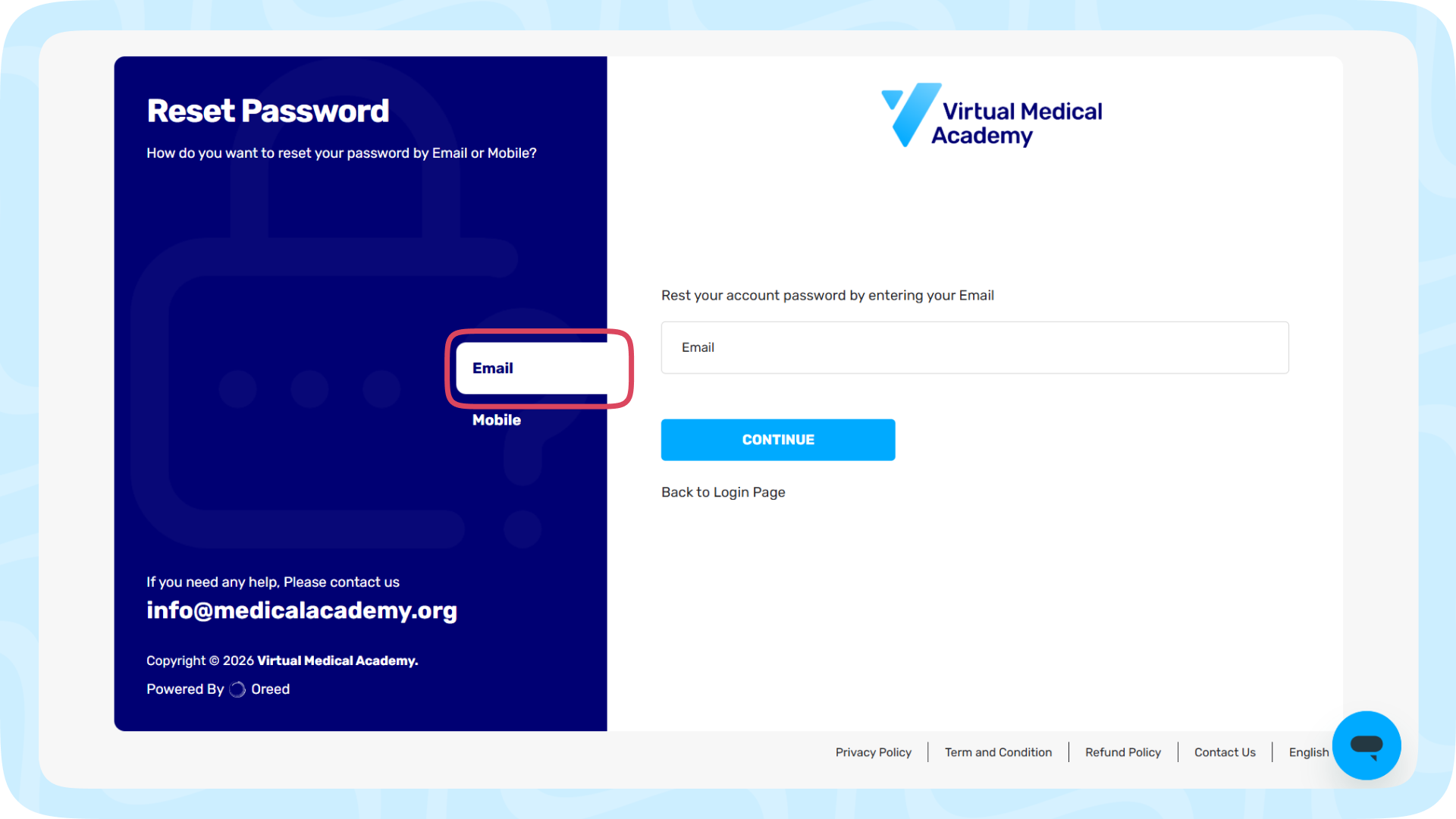
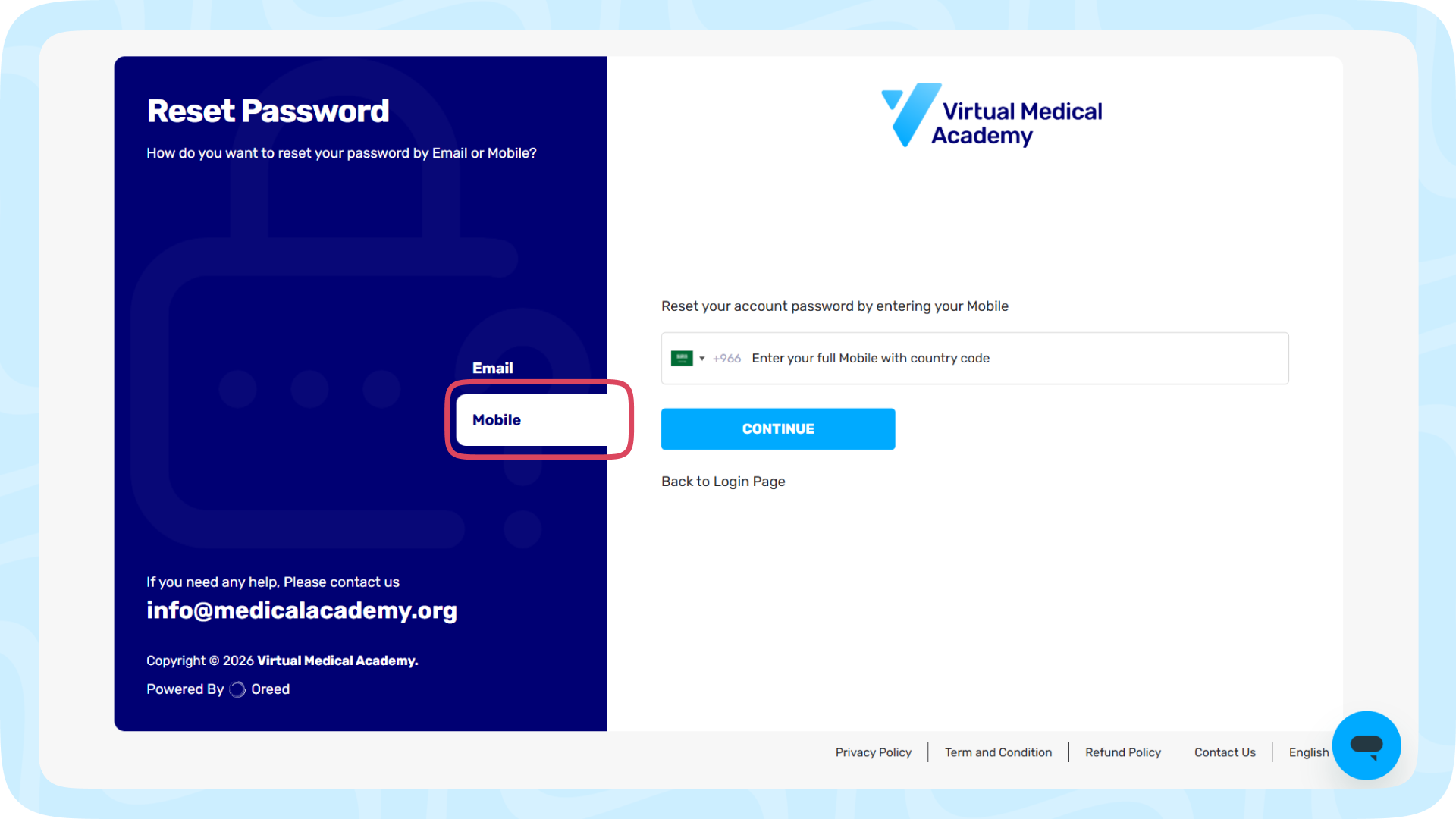
4- Then you will get a "Reset Code" for confirmation code (Email/SMS), when you get the code enter the code to verify & reset password.
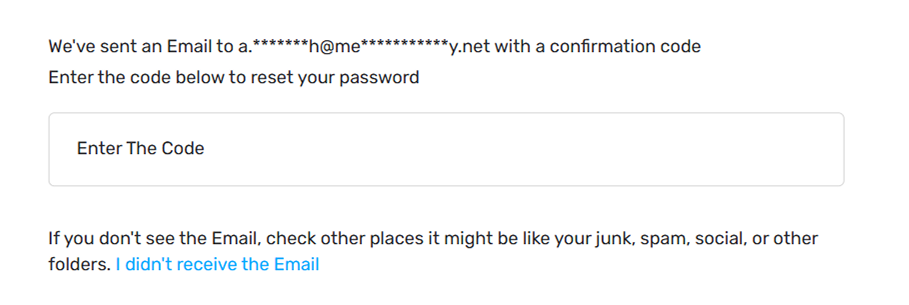
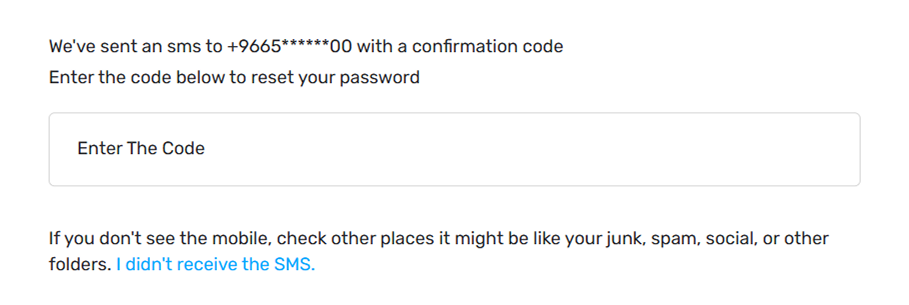
5- Check your "Email/SMS" for a secure password reset link and follow the prompts to create a new, strong password.
Here's what you can do if you didn't receive an Email or SMS:
1. Check if your email or mobile is correct , If not, Change it.
2. For Email make sure that did not end up in the spam or promotions folder
3. Resend the Email or SMS
4. Contact Our Support Team