

Maintain an updated professional profile to showcase your expertise to the healthcare community.
Accessing Your Profile
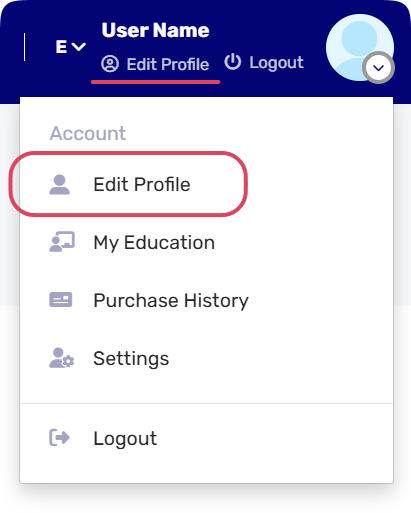
1- Click your profile avatar in the top navigation bar Edit Profile from the dropdown menu.
2- Or you select Edit Profile under your profile name.
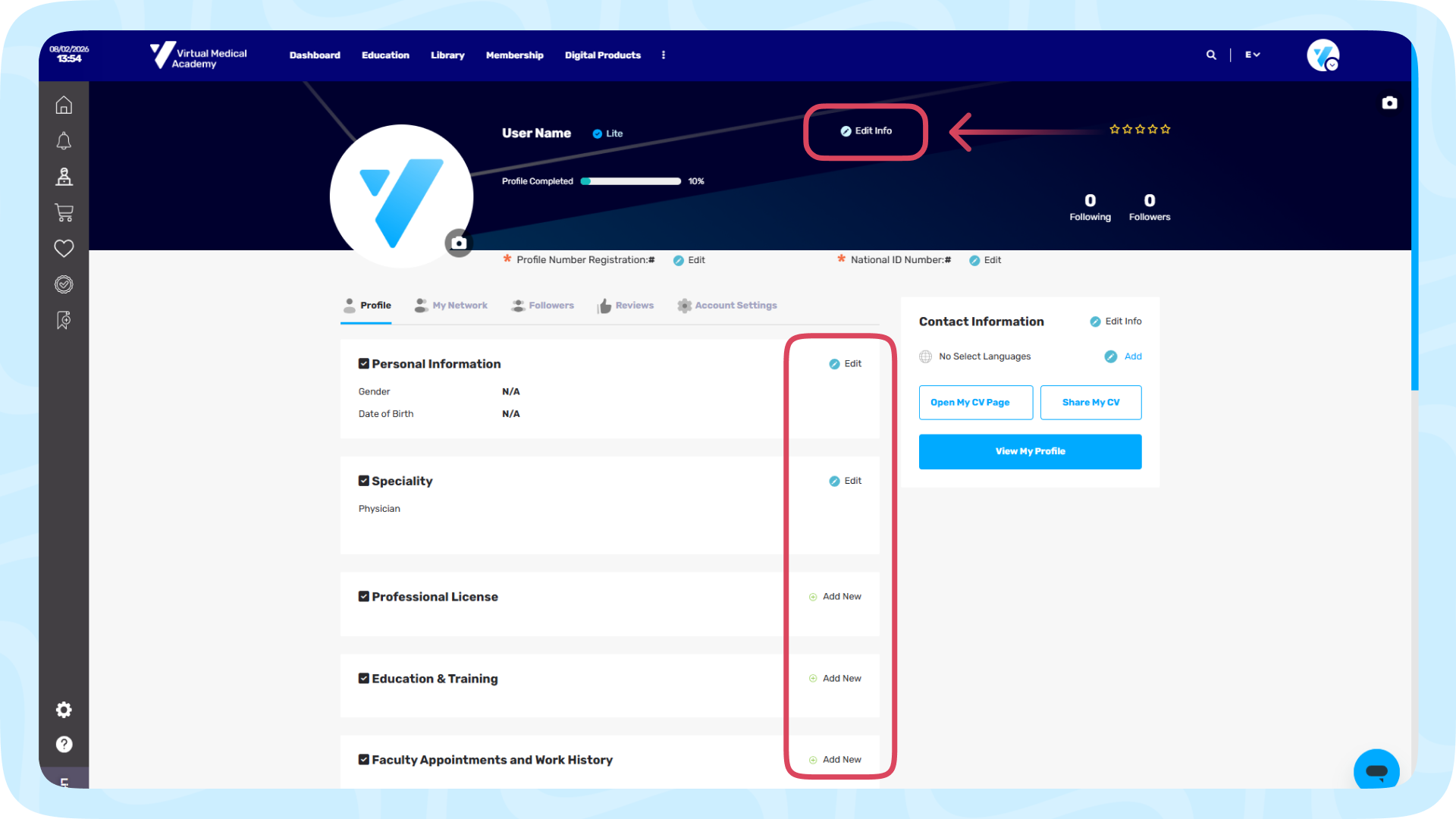
3- Click Edit Info and you can update your profile informations to unlock the profile modules.
Updating Profile Modules
Click Add New or Edit next to any of the following sections to update your records:
-
Professional License: Add your active medical license numbers and issue dates.
-
Education & Training: Log your degrees, fellowships, and academic achievements.
-
Work History: Detail your current and past clinical appointments.
-
Skills: List your specialized clinical and technical competencies.
Click Save within each module to instantly publish your updates.