How do I access and watch recorded courses?
Follow these direct visual steps to access your enrolled recordings and play lectures on the platform:
Step 1: Open My Learning Journey
Hover over your profile name at the top-right corner of the homepage to reveal the user menu, and click on My Learning Journey from the dropdown options.
Step 2: Start Learning
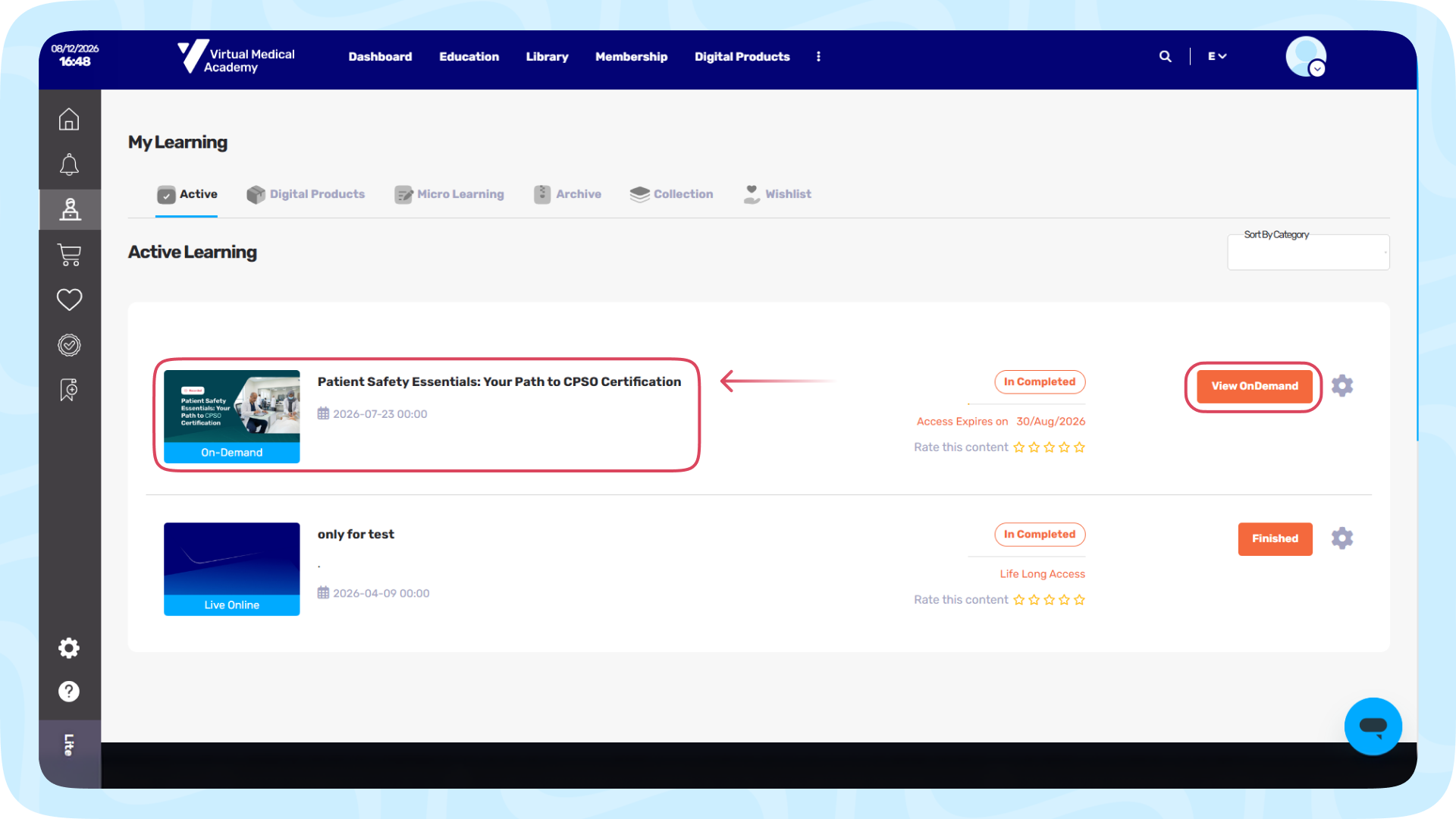
On the Active Learning dashboard, locate your enrolled course and click on the Start Learning button on the side of the course card.
Step 3: Go to the "Content" Tab
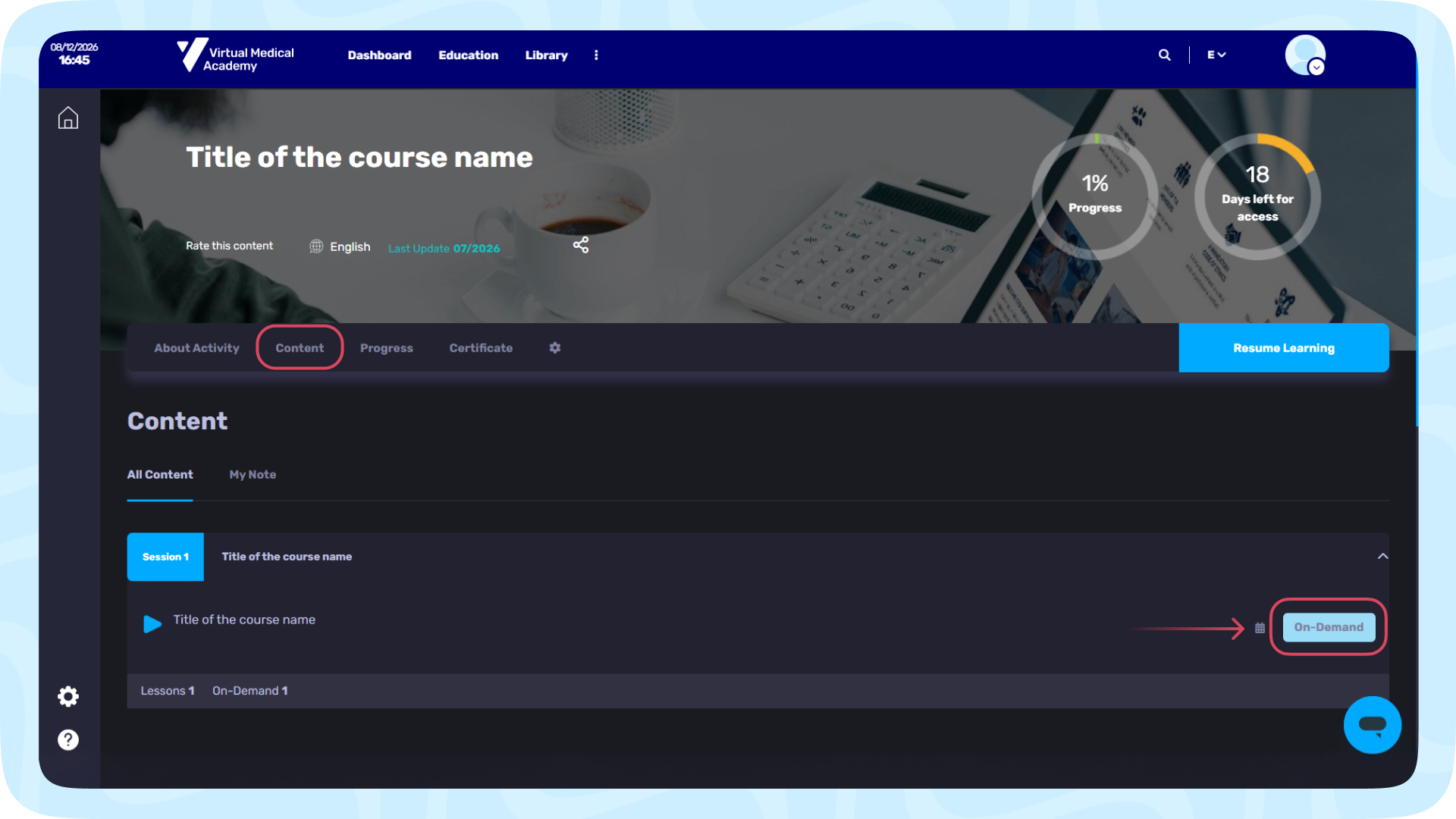
Inside the course page, click on the Content tab located in the secondary menu bar.
Step 4: Launch the On-Demand Session
A list of scheduled and recorded sessions will appear. Find the lecture you want to watch and click on the orange On-Demand button on the far right.
Step 5: Play and Navigate
The interactive classroom player will open.
- Click the large Play icon in the center of the video screen to start the video.
- You can use the Table of Content sidebar on the right to navigate between different lectures or slide modules.
Step 6: Complete and Continue
Once you finish watching, click the blue Completed!, Let's Continue bar at the bottom of the video player to save your progress and proceed to the next section.