How do I register for courses, and what types are available?
Continue advancing your clinical competencies by joining the Virtual Medical Academy’s accredited programs. We have designed a flexible learning ecosystem that adapts to your demanding professional schedule.
Available Course Types:
• Live Online: Scheduled live sessions on Zoom. Requires real-time attendance for CME hours.
• Recorded: On-demand, self-paced recorded videos inside your VMA Library.
• Onsite & Hybrid: In-person at a physical venue, or a mix of physical and live streaming.
• Blended: Comprehensive programs combining recorded modules with live interactive sessions.
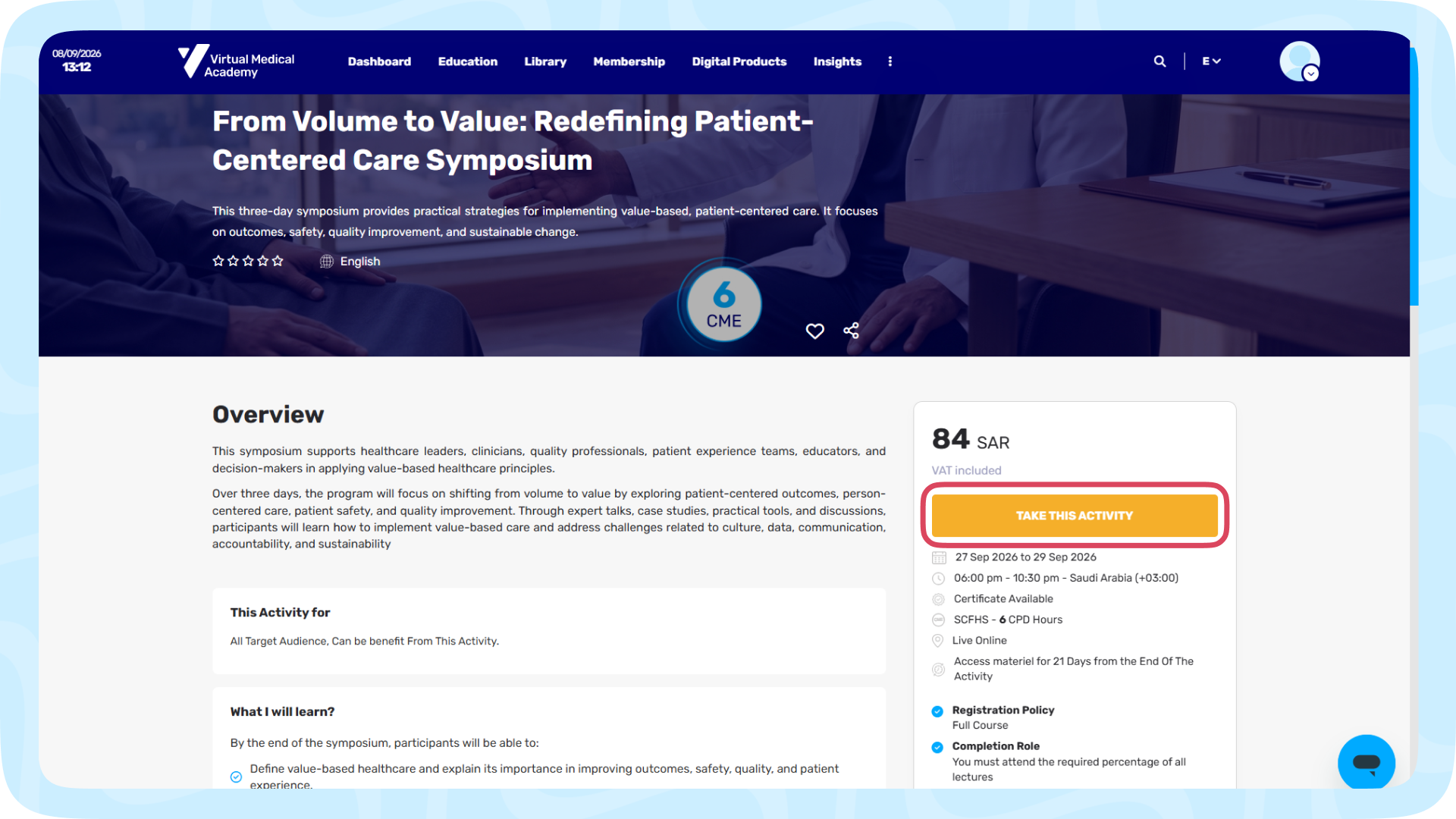
Steps to Register:
1- Browse courses in Homepage or the Education page and select your course.
2- See course relevant to your clinical specialty to review the objectives, agenda, and CME accreditation details.
3- Click Take This Activity then choose the Certificate FREE option and click Proceed Checkout or add it to your Cart for later. (If the course is free it diractly appear in your Dashboard)
4- Check your Billing Information Details, Select your payment method (Mada, Visa, Tabby (If Available), Wallet, or Bank Transfer) to complete registration.
5- After fill you payment details press "Complete Payment", The course will instantly appear in your Dashboard.
Note for Bank Transfers: You must enter the transfer number, date, bank name, and upload a clear scan/photo of your transaction receipt.